
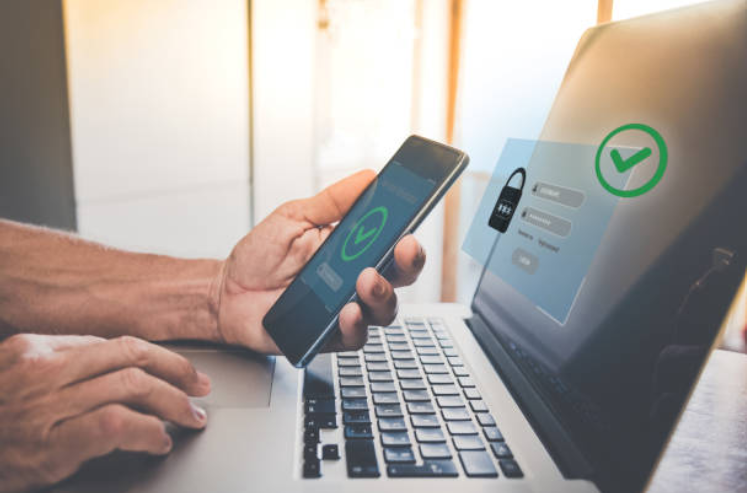
A strong password is still an important part of online security, but it should not be your only defense. The safest approach is to use a long, unique password for every important account, store passwords securely with a reputable password manager, and enable multi-factor authentication (MFA) or a passkey whenever the service supports it.
Good password security is less about memorizing complicated combinations and more about avoiding predictable and reused credentials. A few sensible habits can greatly reduce the damage caused by a stolen password.
Use a Long, Unique Password for Every Account
Password length and uniqueness are two of the most important things to consider when creating account credentials.
A password that is reused across several websites creates a particularly serious problem. If criminals obtain it from one breached service, they may try the same username and password on other websites. This type of attack is commonly known as credential stuffing.
For accounts that still rely on passwords, choose a password that is:
- Long enough to resist guessing attacks.
- Unique to that account.
- Difficult for someone else to predict.
- Free from obvious personal information.
- Not a common or previously compromised password.
Current NIST guidance also recommends that services block commonly used or compromised passwords rather than relying mainly on complicated composition rules.
For passwords you need to remember yourself, a long passphrase made from unrelated words can be easier to remember than a short, complicated string. For passwords stored by a password manager, randomly generated credentials are usually a practical choice.
Avoid Predictable Passwords
A password can look complicated and still be predictable.
For example, simply adding a number or symbol to a familiar word does not necessarily create a strong credential. Personal information such as your name, birthday, pet’s name, phone number, favorite team, or employer can also make a password easier to guess.
| Weak approach | Why it is risky | Better approach |
|---|---|---|
| Using your name or birthday | Personal information may be discoverable | Use unrelated words or a generated password |
| Reusing one password | One breach can affect several accounts | Give every account its own password |
| Using a short password | Provides fewer possibilities to guess | Choose a substantially longer password |
| Using a common phrase | Attackers can test predictable phrases | Use random words or a generated credential |
| Making tiny variations of one password | A stolen pattern may expose other accounts | Generate genuinely different passwords |
Don’t rely on a password simply because it contains an uppercase letter, number, or symbol. NIST’s current guidance specifically advises against forcing arbitrary character-combination rules as the primary password requirement.
Use a Password Manager
Remembering a different strong password for every website is difficult. A password manager can solve much of this problem by generating, storing, and filling in unique passwords for your accounts.
A password manager can also make good password habits considerably easier because you do not have to memorize dozens of credentials.
When choosing and setting up one:
- Choose a reputable password-management service or a password manager built into a trusted device or browser.
- Protect the password manager with a strong, unique master credential or the authentication method it recommends.
- Enable MFA or another strong security option for the password manager when available.
- Use its password generator to create unique credentials.
- Keep recovery information and recovery codes somewhere secure.
- Never share your password vault or authentication codes with someone who contacts you unexpectedly.
NIST notes that password managers can help users maintain distinct passwords for different services, while CISA also recommends them as a way to generate and store strong, unique passwords.
Turn On Multi-Factor Authentication
A password is only one authentication factor. Multi-factor authentication adds another verification step, making unauthorized access more difficult if your password is stolen.
Depending on the service, the second factor might involve:
- An authenticator app.
- A security key.
- A device-based approval.
- A biometric method.
- A one-time verification code.
If an account offers MFA, it is generally worth enabling, particularly for email, financial, workplace, cloud-storage, and other accounts containing sensitive information. CISA recommends enabling MFA, and the FTC explains that an additional authentication factor can help protect an account even when its password has been compromised.
Where several MFA options are available, an authenticator app or security key may provide stronger protection than codes delivered by text message. The FTC notes that text-based verification can be more vulnerable than other available methods.
Consider Passkeys Where They Are Available
Passwords are not the only way to sign in.
Passkeys use cryptographic credentials stored on a supported device or password manager and can provide a more phishing-resistant way to authenticate. They can also reduce the need to remember or type passwords.
If a service offers passkeys alongside passwords, consider using one, particularly for an important account. Availability and setup options vary by service and device.
NIST specifically notes that passwords themselves are not phishing-resistant, which is an important reason not to treat a strong password as complete protection against every type of attack.
Don’t Give Your Password to Anyone
A secure password becomes useless if an attacker persuades you to reveal it.
Legitimate organizations generally should not need you to disclose your password through an unexpected email, text message, phone call, or social-media conversation. Be especially cautious when someone creates a sense of urgency and asks for your password, verification code, or recovery information.
Never give an unexpected caller a one-time authentication code simply because they claim to be from your bank, employer, email provider, or another company.
If you receive a suspicious request, leave the conversation and contact the organization using a trusted website, app, or phone number.
Protect Your Most Important Accounts First
Not every account has the same consequences if it is compromised.
Your email account deserves particular attention because it can often be used to reset passwords for other services. Financial accounts, cloud-storage accounts, workplace accounts, and social-media profiles may also contain sensitive information or provide access to other resources.
A useful priority order is:
- Secure your primary email account.
- Secure banking and financial accounts.
- Secure your password manager.
- Secure workplace or school accounts.
- Secure cloud storage and important personal accounts.
- Review less important accounts afterward.
Use a unique password and MFA for each account whenever those options are available.
Don’t Change Strong Passwords Just Because a Calendar Says So
The original article recommended regularly changing passwords. That advice needs updating.
Current NIST guidance says services should not require users to change passwords arbitrarily on a fixed schedule. Instead, a password should be changed when there is evidence that it has been compromised.
You should consider changing a password when:
- A service reports a data breach involving your credentials.
- You receive evidence that someone accessed the account.
- You discover that the password has been reused elsewhere.
- You accidentally disclosed the password.
- The password is weak, predictable, or commonly used.
- Someone else may have gained access to the device or password vault containing it.
When changing a compromised password, don’t merely alter one character or add another number. Create a genuinely new, unique credential.
Review Account Security and Recovery Options
Strong passwords are only part of account security. Take a few minutes periodically to review the security settings of your most important accounts.
Look for:
| Security area | What to check |
|---|---|
| Login activity | Unexpected sign-ins or unfamiliar locations |
| Connected devices | Devices you no longer recognize |
| Active sessions | Sessions that should be signed out |
| Recovery email | Whether the address is current |
| Recovery phone | Whether the number is still yours |
| MFA methods | Whether your current devices are listed |
| Backup codes | Whether they are available and stored securely |
If you notice suspicious activity, follow the service’s account-recovery and security procedures promptly. If your password was exposed, change it and avoid reusing the replacement elsewhere.
Be Careful on Login Pages
Even an excellent password cannot protect you if you voluntarily enter it into a fake website.
Phishing attacks can imitate banks, email providers, retailers, employers, and other familiar organizations. A fraudulent login page may look convincing enough to capture your username, password, and MFA information.
Before entering credentials after following an unexpected link:
- Check the website address carefully.
- Be suspicious of urgent requests.
- Avoid entering credentials after clicking an unexpected message link.
- Navigate directly to the organization’s official website or app when possible.
- Never provide an authentication code to someone who unexpectedly asks for it.
CISA identifies phishing as a major online threat and recommends learning to recognize suspicious messages rather than interacting with them.
A Simple Password-Security Checklist
You don’t need complicated technical knowledge to improve your account security. Start with these steps:
- Use a long, unique password for every important account.
- Use a password manager to generate and store passwords.
- Avoid passwords based on personal information.
- Don’t reuse passwords across websites.
- Enable MFA wherever it is available.
- Consider a passkey when a service supports one.
- Keep recovery information current.
- Store recovery codes securely.
- Change passwords promptly when they are compromised.
- Review important account activity from time to time.
- Never disclose passwords or verification codes to unexpected callers or messages.
What to Do If You Think a Password Was Compromised
Act quickly, but don’t panic.
First, change the compromised password from the legitimate website or app. If the same password was used anywhere else, replace it there with a different credential as well.
Next, check recent account activity and sign out of unfamiliar sessions or devices. Enable MFA if you have not already done so, and review recovery information.
If the account contains financial or highly sensitive information, follow the provider’s security guidance and contact the organization directly if necessary.
The FTC recommends changing passwords promptly after a breach and enabling MFA to provide additional protection.
Conclusion
Good password security is not about remembering dozens of complicated combinations. It is about creating a system that makes secure behavior practical.
Use a long, unique credential for every important account, preferably generated and stored by a reputable password manager. Enable MFA, consider passkeys where available, protect your recovery methods, and be cautious whenever a message asks you to enter or reveal your credentials.
You also do not need to change a strong password simply because a certain amount of time has passed. Change it when it is weak, reused, exposed, or otherwise compromised.
These habits won’t eliminate every online threat, but they can substantially reduce the damage caused by stolen or guessed credentials and give your most important accounts several layers of protection.
Frequently Asked Questions
What makes a password strong?
A strong password should be difficult to guess, sufficiently long, and unique to the account. For passwords you must remember, a long passphrase made from unrelated words can be practical. For other accounts, a password manager can generate a random credential.
Should I use the same password for multiple accounts?
No. Reusing passwords creates a significant security risk because a stolen credential from one service may be tested against your other accounts.
Do I need to change my password every few months?
Not necessarily. Current NIST guidance advises against arbitrary periodic password changes. Change a password when there is evidence it has been compromised or when you discover that it is weak or reused.
Are password managers safe?
A reputable password manager can make it much easier to use unique passwords for every account. However, the password manager itself is an important account to protect. Use a strong master credential and enable additional security measures such as MFA when available.
Is a long passphrase better than a complicated password?
A long passphrase can be easier to remember while still providing substantial protection, provided it is not based on a familiar quotation, common phrase, or personal information. For credentials you do not need to memorize, randomly generated passwords are often more practical.
Is two-factor authentication worth using?
Yes. MFA adds another authentication factor beyond the password, so an attacker who obtains your password may still be unable to access the account. Use MFA on important accounts whenever it is available.
Are passwords completely secure with MFA enabled?
No security method is perfect. MFA provides an additional layer of protection, but users can still be targeted by phishing, malware, social engineering, or attacks against other parts of an account’s security. Where supported, consider stronger phishing-resistant authentication options such as passkeys or security keys.